Blog ·
Playlist cover art is not release artwork: a guide for artists
A playlist cover and a release cover look alike, a square image above a list of songs, but they are different jobs with different owners. Your release cover is delivered with your music through your distributor and has to follow store rules. A playlist you make on your own profile is a separate, looser canvas. And the covers of editorial playlists belong to the platforms. Knowing which is which saves effort and avoids a common mistake: treating playlist art as a second release cover.
Three kinds of playlist, three owners
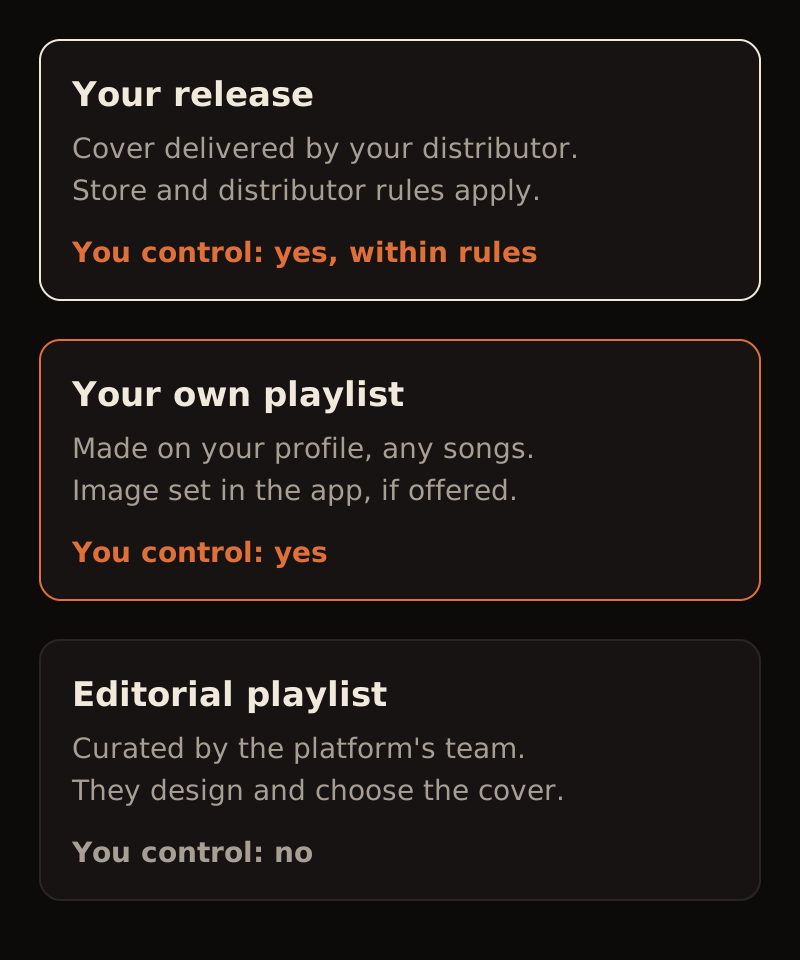
Your release. The cover is part of the release you send to your distributor. It must match your metadata, avoid handles and URLs, and meet each store's size rules. Our sizes guide and text guide cover those rules.
A playlist you make yourself. On most streaming services, any account, including an artist's, can create playlists of any songs and, where the app allows it, set its own image. Upload options, sizes and content rules differ by platform and change over time; check the platform's help page before you design to a specific size.
An editorial playlist. These are curated by the platform's own team. They choose the songs and design the cover. You cannot submit artwork for them, and a cover designed "for playlisting" does not change whether you are picked. Be wary of anyone who offers placement in exchange for payment or artwork.
What your own playlists are good for
Your playlists are a way to show fans the world around your music. Three uses work well for independent artists:
- Influences. Songs that shaped the record. It tells new listeners where you come from.
- Live set. The set list from a recent show, in order. Useful for people who were there and people who wish they were.
- Release companion. Your new single alongside the songs it sits next to in your head, or your back catalogue in a listening order.
Each one is a chance to extend your release's visual world without repeating the cover.
A worked example (illustrative)
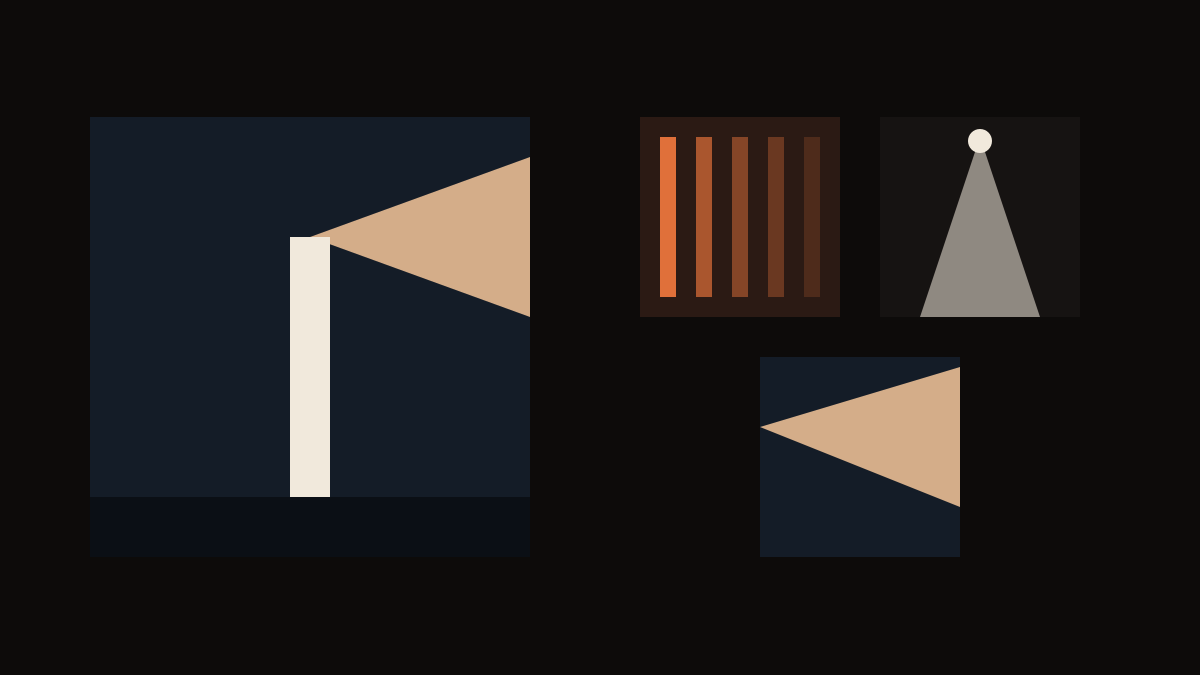
An invented artist releases a single whose cover is a lighthouse beam crossing a dark sea. Her three playlists borrow from that world instead of copying it:
- Influences: a close study of old record-sleeve stripes in the same orange as the beam. Same palette, different subject, so it does not look like a second copy of the single.
- Live set: a single stage light cutting down through darkness, echoing the beam's angle.
- Release companion: an extreme crop of the beam itself. Closest to the release, so it reads as related at a glance.
Together they look like one artist's shelf, and none could be mistaken for the single's actual cover in a search result.
Rules of thumb for playlist covers
- Don't reuse the release cover as is. In search and on your profile, two identical squares are confusing. Crop, recolour or change the subject.
- Title in the app, not necessarily on the art. Playlists show their name beside the image. If you add text, keep it big and short; our text guide explains why.
- Check it small. Playlist images appear as thumbnails most of the time. Use our phone check.
- Only use images you have rights to, the same as for a release.
Copy this playlist plan
Release cover: subject ____, palette ____
Playlist 1 (purpose ____): borrows ____, changes ____
Playlist 2 (purpose ____): borrows ____, changes ____
Playlist 3 (purpose ____): borrows ____, changes ____
Platform image rules checked on: ____
Start with the release
Your playlists draw from the release's world, so the release cover comes first. Soundae makes cover art for your songs from the song itself. Start with your song.